Map, Area and Parameters
Max Anjos
September 18, 2026
Source:vignettes/Introd_genera_LCZ4r.Rmd
Introd_genera_LCZ4r.RmdThe LCZ4r general functions are
designed to facilitate the retrieval, analysis, and visualization of
LCZs, when data is not readily available. These functions enable users
to quickly download LCZ maps, compute LCZ classes, and extract specific
urban canopy parameters (UCPs) of interest, such as Sky View Factor,
impervious surface fraction, and roughness element height and so on.
Getting Started
The general functions, each serving a unique purpose:
| Function | Description | Data Required | Internet Access Required |
|---|---|---|---|
lcz_get_map() |
Download your LCZ map from Global dataset | Not needed | Yes |
lcz_get_map_euro() |
Download your LCZ map from European dataset | Not needed | Yes |
lcz_get_map_usa() |
Download your LCZ map from Continental United States dataset | Not needed | Yes |
lcz_get_map_generator() |
Download your LCZ map from LCZ Generator Platform | Not needed | Yes |
lcz_get_map2() |
Clip the LCZ map for your city or ROI | Both | Both |
lcz_plot_map() |
Visualize the LCZ map | Not needed | Not needed |
lcz_cal_area() |
Calculate LCZ areas | Not needed | Not needed |
lcz_get_parameters() |
Retrieve LCZ parameters | Not needed | Not needed |
lcz_plot_parameters() |
Visualize LCZ parameters map | Not needed | Not needed |
Tip: Utilize the help(lcz_*) function
to access comprehensive documentation for each LCZ function. For
instance, you can explore details about the lcz_get_map
function by typing help("lcz_get_map").
Download and visualize the LCZ map
The lcz_get_map() function facilitates obtaining the LCZ
map for your chosen city or a specific Region of Interest (ROI). Here
are examples for cities around the world:
library(LCZ4r)

# Get the LCZ map for your city
lcz_map <- lcz_get_map(city = "São Paulo")

# Visualize the obtained LCZ map
lcz_plot_map(lcz_map)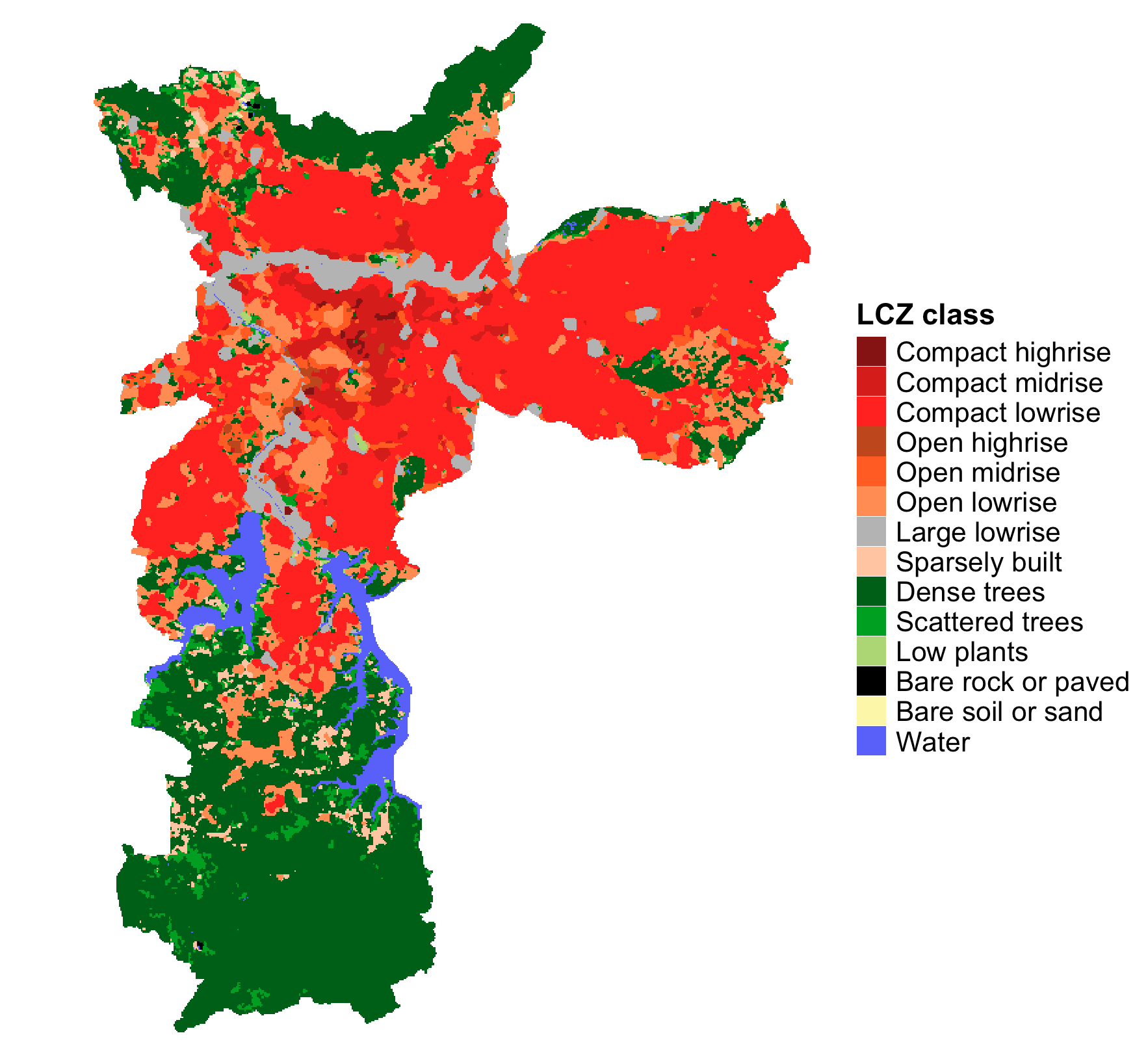
LCZ map for São Paulo
euro_map <- lcz_get_map_euro(city = "Paris")
lcz_plot_map(euro_map)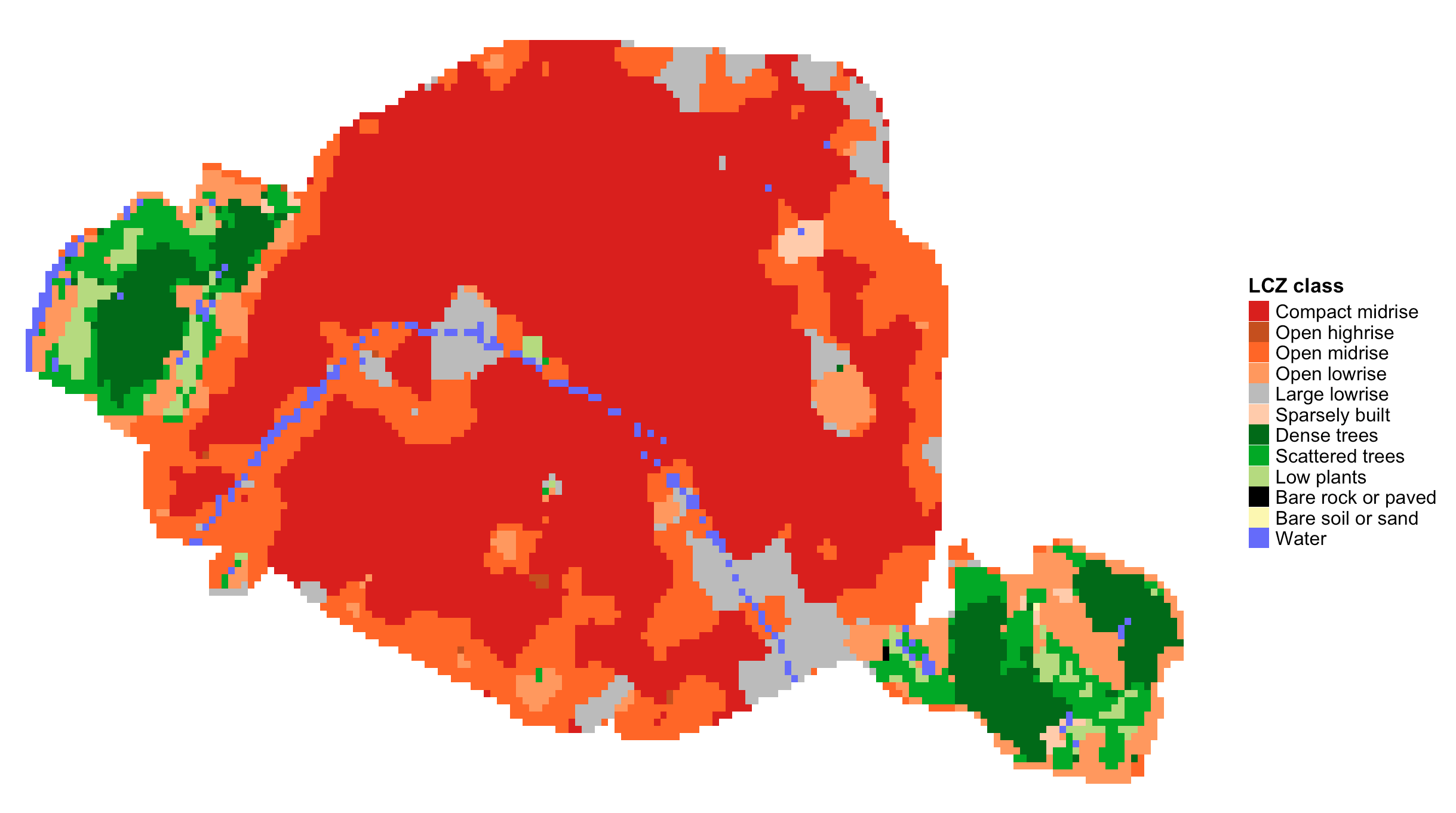
LCZ map for Paris
euro_map <- lcz_get_map_euro(city = "London")
lcz_plot_map(euro_map)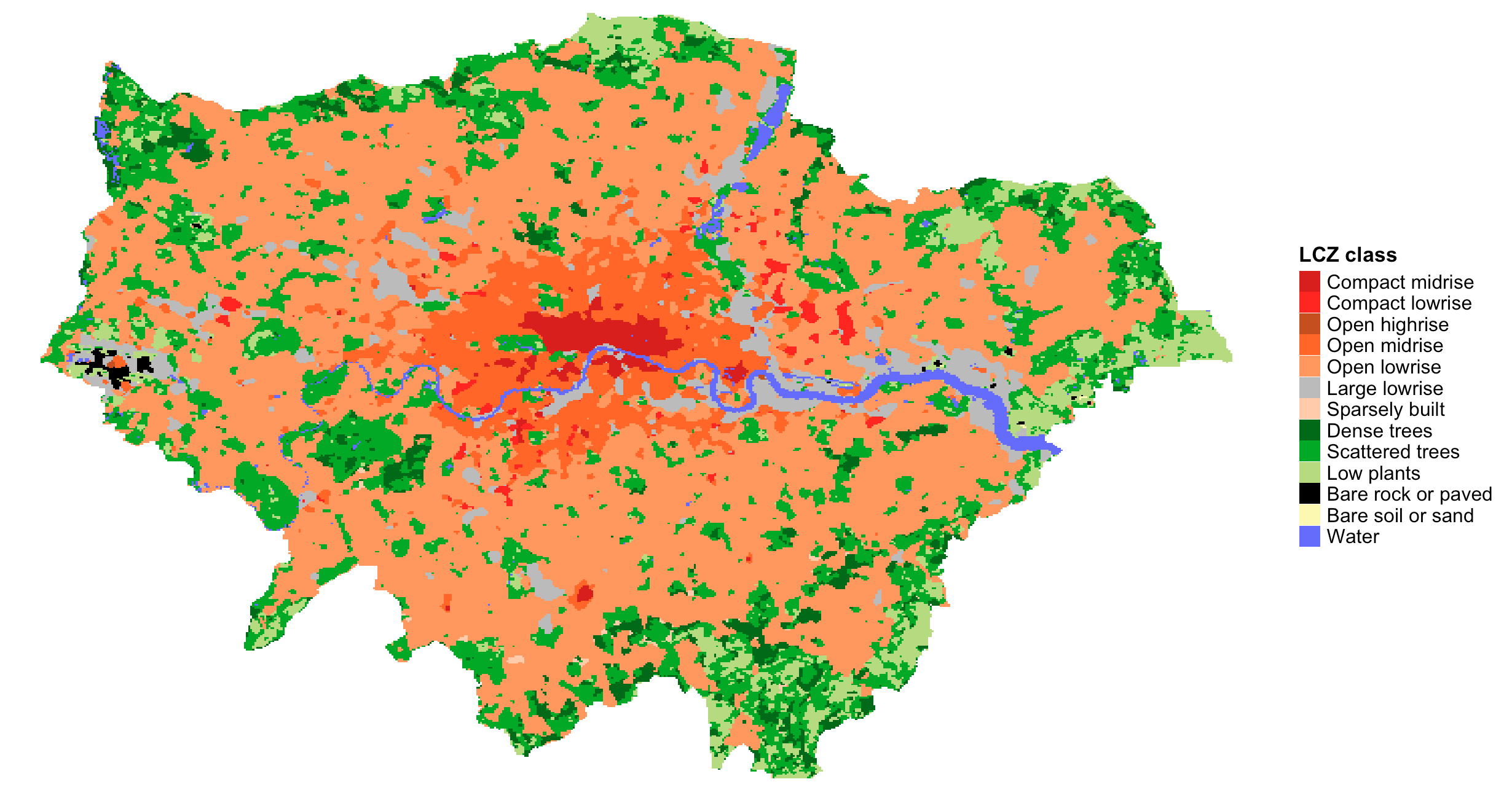
LCZ map for London
lcz_map <- lcz_get_map(city = "Sydney")
lcz_plot_map(lcz_map)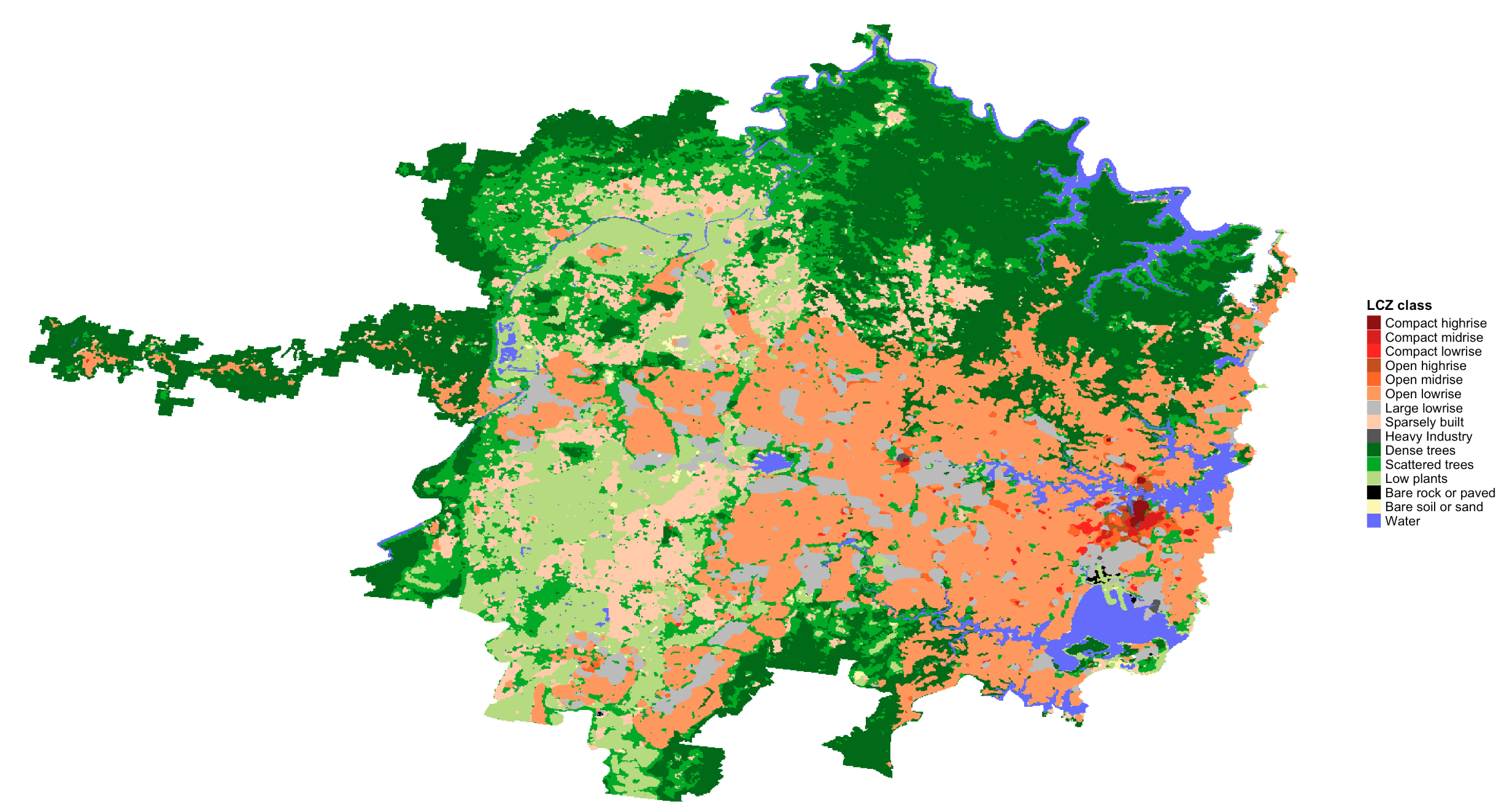
LCZ map for Sydney
lcz_map <- lcz_get_map(city = "Beijing")
lcz_plot_map(lcz_map)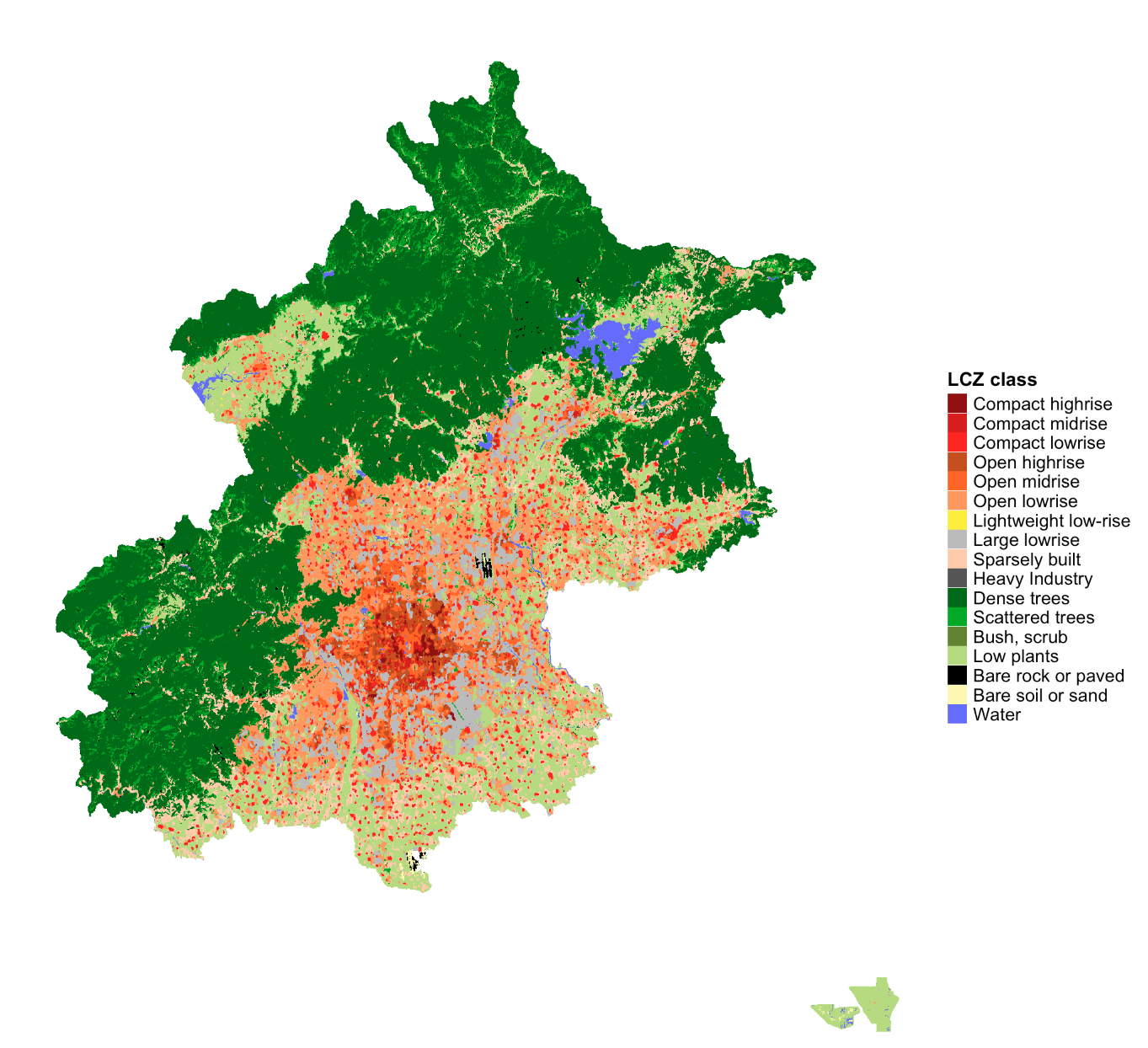
LCZ map for Beijing
usa_map <- lcz_get_map_usa(city = "New York")
lcz_plot_map(usa_map)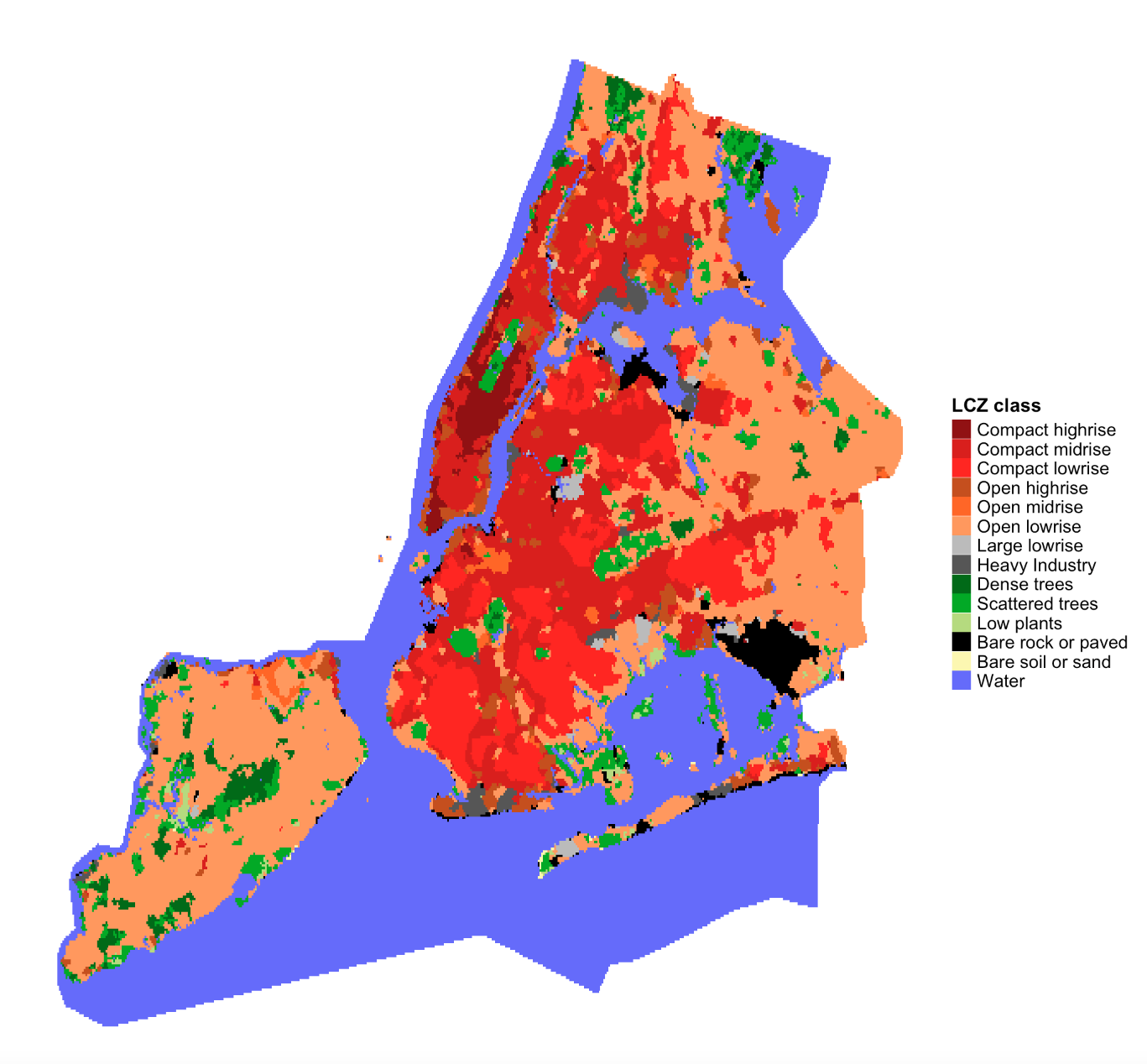
LCZ map for New York
my_map <- lcz_get_map(city = "Nairobi")
lcz_plot_map(my_map)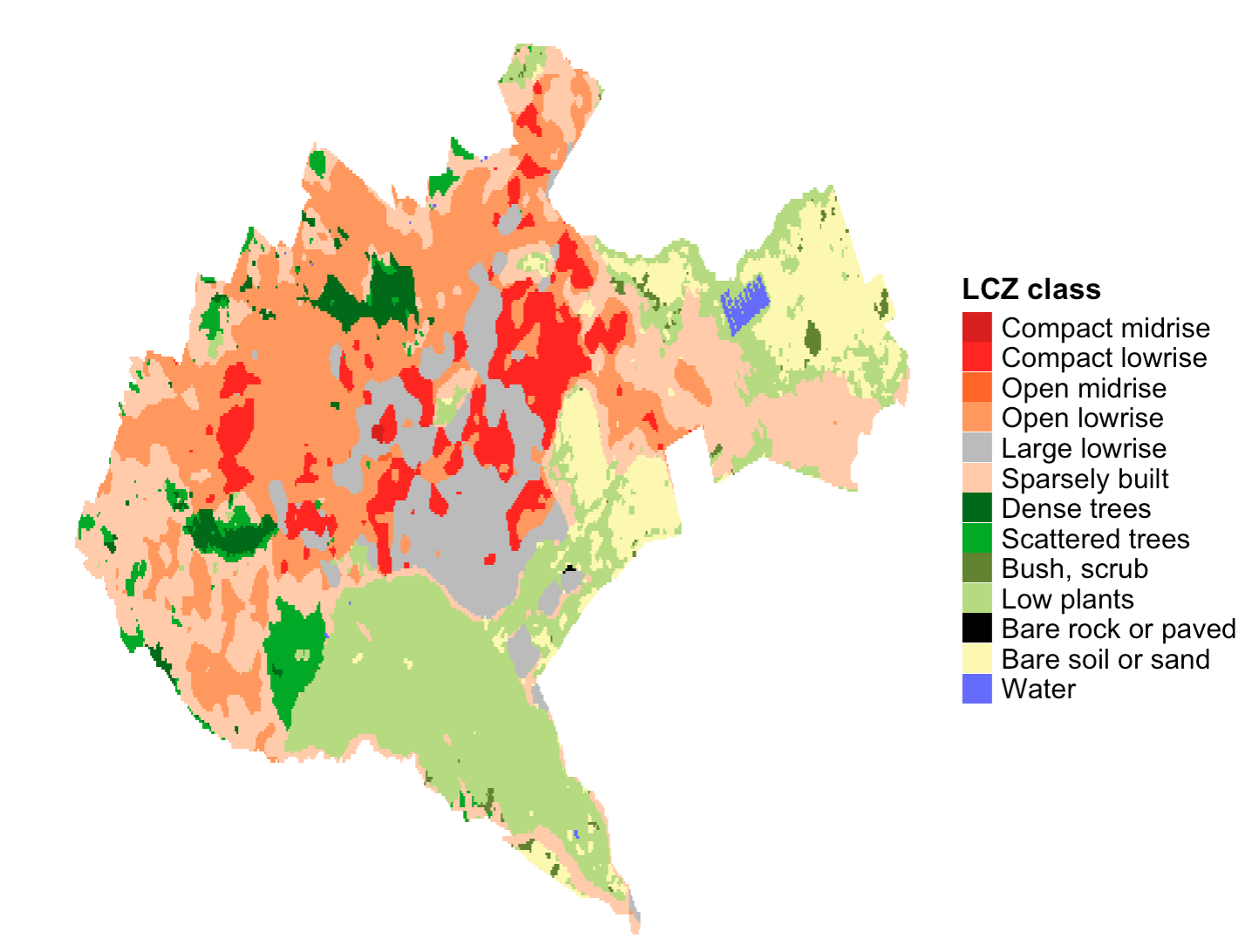
LCZ map for Nairobi
Download LCZ map from LCZ Generator Platform
To seamlessly integrate LCZ maps into the LCZ4r package, follow these steps to obtain the ID code for your desired city:
- Access the LCZ Generator: Visit the LCZ Generator page.
- Locate your city: Navigate to the Submissions section and search for your city using the search bar.
- Obtain the ID from Factsheet: Click Show Factsheet next to your city’s submission and copy the ID from Submission Information section (e.g., 3110e623fbe4e73b1cde55f0e9832c4f5640ac21)
- Example for Reference: View this sample LCZ Factsheet to understand the format and details.
lcz_map <- lcz_get_map_generator(ID = "3110e623fbe4e73b1cde55f0e9832c4f5640ac21")
lcz_plot_map(lcz_map)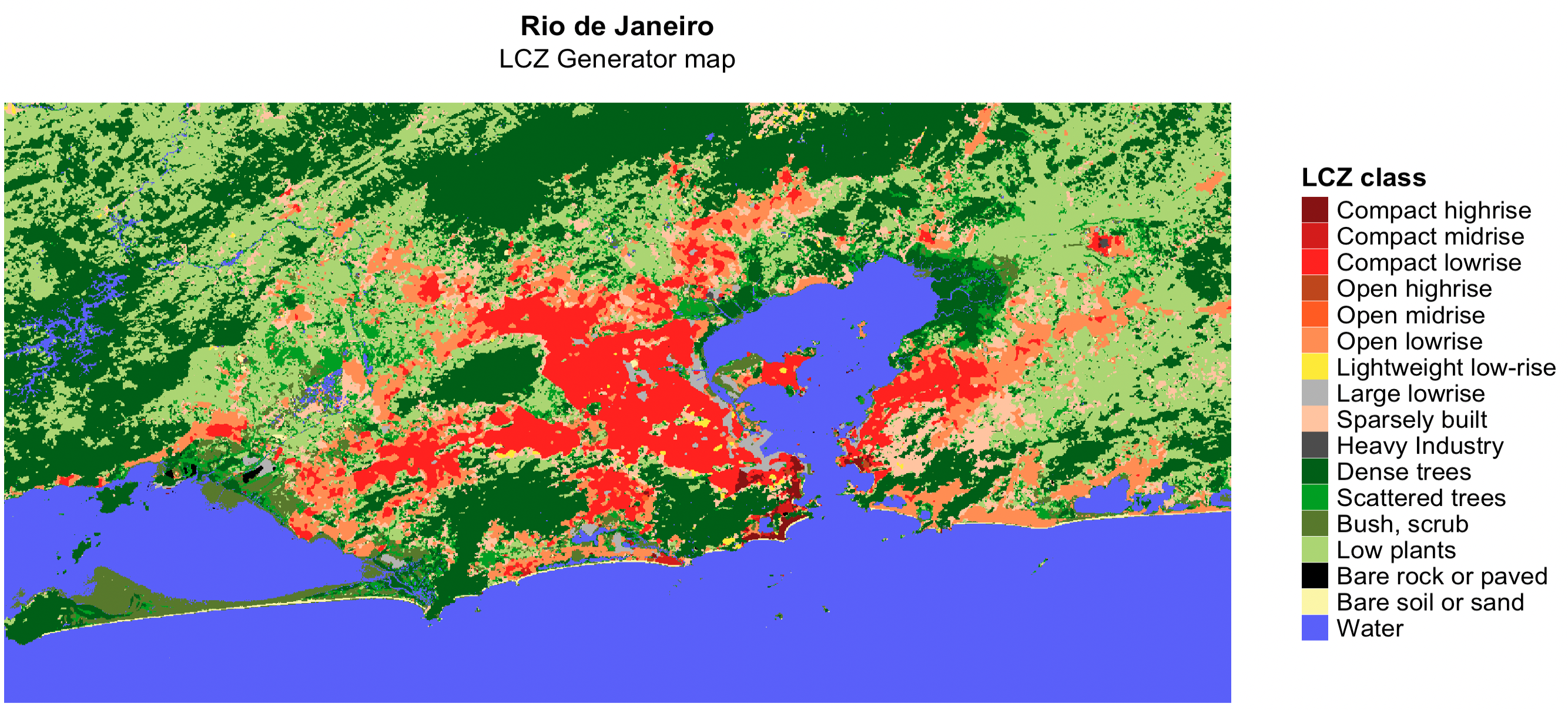
LCZ map from Generator Platform
💡 Tip 1: LCZ map for Region Of Interest (ROI)
This example demonstrates how to use the roi
argument in lcz_get_map* functions to clip the LCZ map for
your ROI. You must import shapefile into R.
# Load package
library(sf)

# Import Shapefile into R
my_shp <- sf::st_read("path/shp_name.shp") # You can also use shapefile in .gpkg format

# Get LCZ map for your ROI
lcz_map <- lcz_get_map(roi = my_shp)

# Visualize LCZ map
lcz_plot_map(lcz_map)
💡 Tip 2: Clip LCZ map generator for your city or
Region Of Interest (ROI) using lcz_get_map2()
This example demonstrates how to use the lcz_get_map2()
function to clip the LCZ map for your specific city or ROI. For cities,
the clipped map is derived from the OpenStreetMap database, while for
ROIs, it uses your imported shapefile.
# Get LCZ map generator (e.g., Rio de Janeiro)
lcz_map_generator <- lcz_get_map_generator(ID = "3110e623fbe4e73b1cde55f0e9832c4f5640ac21")

# Clip LCZ map generator to your city
lcz_map <- lcz_get_map2(lcz_map_generator, city = "Rio de Janeiro")

# Visualize LCZ map
lcz_plot_map(lcz_map)

# Clip LCZ map generator to ROI
library(sf)
my_shp <- sf::st_read("path/shp_name.shp") # You can also use shapefile in .gpkg format
lcz_map <- lcz_get_map2(lcz_map_generator, roi = my_shp)

# Visualize LCZ map
lcz_plot_map(lcz_map)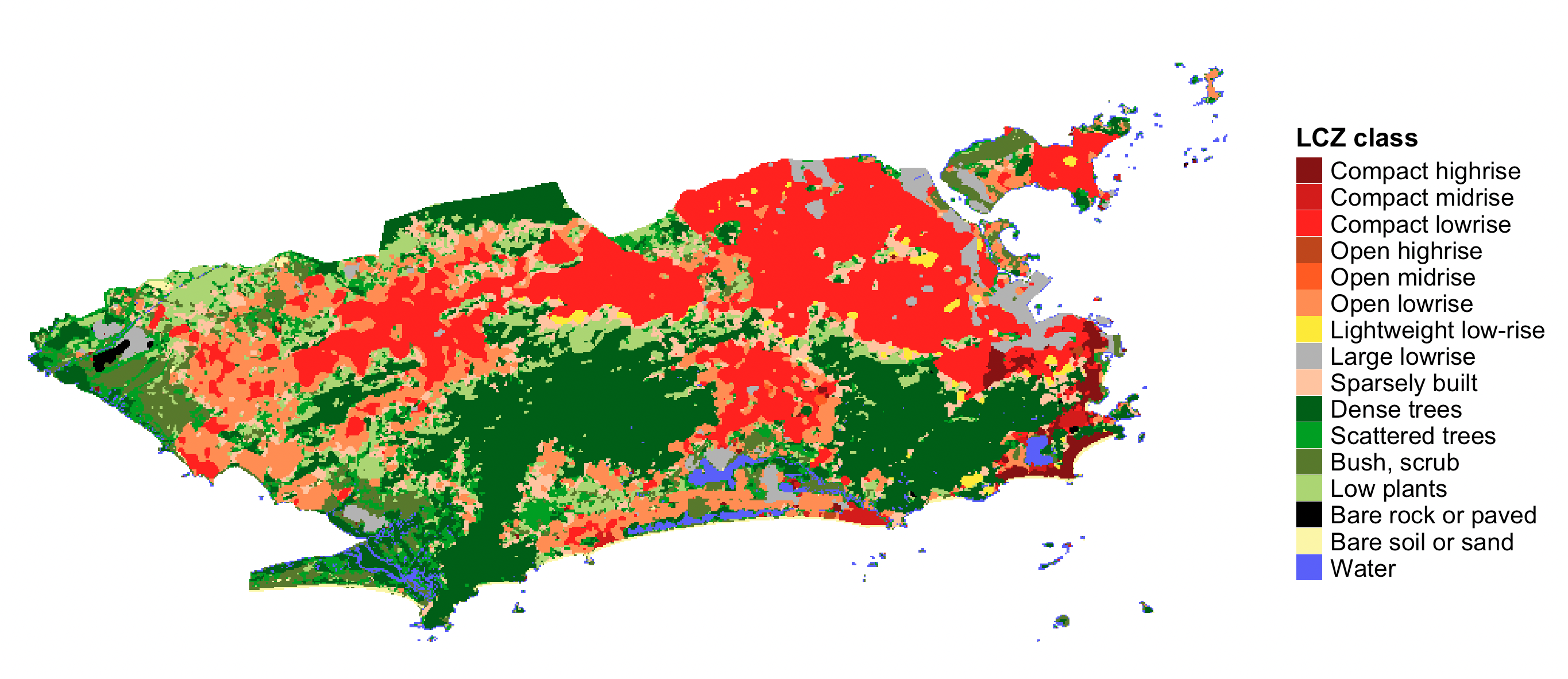
Clipped LCZ map for Rio de Janeiro
Calculate LCZ areas
The lcz_cal_area() function calculates the area for each
LCZ class:
lcz_map <- lcz_get_map(city = "Rio de Janeiro")
lcz_cal_area(lcz_map)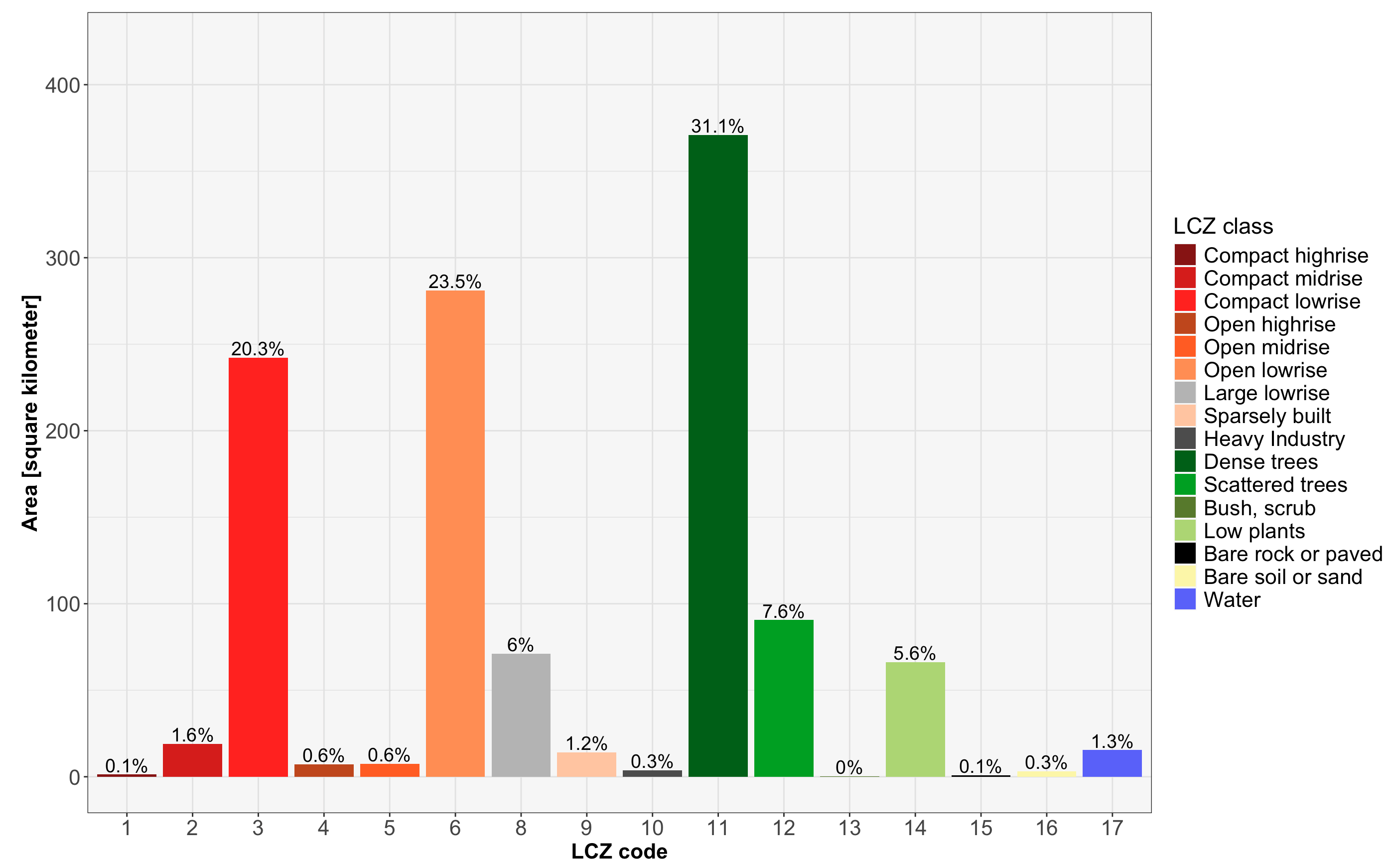
LCZ areas calculation for Rio de Janeiro
Tip: This function provides a table.csv of the
calculated LCZ areas. To save as CSV, use:
lcz_cal_area(lcz_map, iplot = FALSE)
Retrieve and visualize LCZ parameters
The lcz_get_parameters() function gives you access to
diverse LCZ parameters, encompassing minimum, maximum, and mean values,
drawn from Stewart and Oke (2012). These parameters are convertible into
either shapefiles or a raster stack, where multiple rasters are
aggregated into a single file.
Here’s a glimpse of the available LCZ parameters:
| Code | Parameter | Description | Unit |
|---|---|---|---|
| SVFmin | Sky View Factor | Minimum Sky View Factor | [0-1] |
| SVFmax | Sky View Factor | Maximum Sky View Factor | [0-1] |
| SVFmean | Sky View Factor | Mean Sky View Factor | [0-1] |
| ARmin | Aspect ratio | Minimum Aspect Ratio | [0-3] |
| ARmax | Aspect ratio | Maximum Aspect Ratio | [0-3] |
| ARmean | Aspect ratio | Mean Aspect Ratio | [0-3] |
| BSFmin | Building Surface Fraction | Minimum Building Surface Fraction | [%] |
| BSFmax | Building Surface Fraction | Maximum Building Surface Fraction | [%] |
| BSFmean | Building Surface Fraction | Mean Building Surface Fraction | [%] |
| ISFmin | Impervious Surface Fraction | Minimum Impervious Surface Fraction | [%] |
| ISFmax | Impervious Surface Fraction | Maximum Impervious Surface Fraction | [%] |
| ISFmean | Impervious Surface Fraction | Mean Impervious Surface Fraction | [%] |
| PSFmin | Vegetation Surface Fraction | Minimum Vegetation Surface Fraction | [%] |
| PSFmax | Vegetation Surface Fraction | Maximum Vegetation Surface Fraction | [%] |
| PSFmean | Vegetation Surface Fraction | Mean Vegetation Surface Fraction | [%] |
| TSFmin | Tree Surface Fraction | Minimum Tree Surface Fraction | [%] |
| TSFmax | Tree Surface Fraction | Maximum Tree Surface Fraction | [%] |
| TSFmean | Tree Surface Fraction | Mean Tree Surface Fraction | [%] |
| HREmin | Height Roughness Elements | Minimum Height Roughness Elements | [meters] |
| HREmax | Height Roughness Elements | Maximum Height Roughness Elements | [meters] |
| HREmean | Height Roughness Elements | Mean Height Roughness Elements | [meters] |
| TRCmin | Terrain Roughness class | Minimum Terrain Roughness class | [meters] |
| TRCmax | Terrain Roughness class | Maximum Terrain Roughness class | [meters] |
| TRCmean | Terrain Roughness class | Mean Terrain Roughness class | [meters] |
| SADmin | Surface Admittance | Minimum Surface Admittance | [J m⁻² s¹⁄² K⁻¹] |
| SADmax | Surface Admittance | Maximum Surface Admittance | [J m⁻² s¹⁄² K⁻¹] |
| SADmean | Surface Admittance | Mean Surface Admittance | [J m⁻² s¹⁄² K⁻¹] |
| SALmin | Surface Albedo | Minimum Surface Albedo | [0-0.5] |
| SALmax | Surface Albedo | Maximum Surface Albedo | [0-0.5] |
| SALmean | Surface Albedo | Mean Surface Albedo | [0-0.5] |
| AHmin | Anthropogenic Heat Output | Minimum Anthropogenic Heat Output | [W m⁻²] |
| AHmax | Anthropogenic Heat Output | Maximum Anthropogenic Heat Output | [W m⁻²] |
| AHmean | Anthropogenic Heat Output | Mean Anthropogenic Heat Output | [W m⁻²] |
| z0 | Roughness Length | Roughness Length class | [meters] |
Rio de Janeiro LCZ parameters
# Extract the LCZ parameters for raster stack format
lcz_map <- lcz_get_map(city = "Rio de Janeiro")
LCZpar <- lcz_get_parameters(lcz_map, istack = TRUE)
LCZpar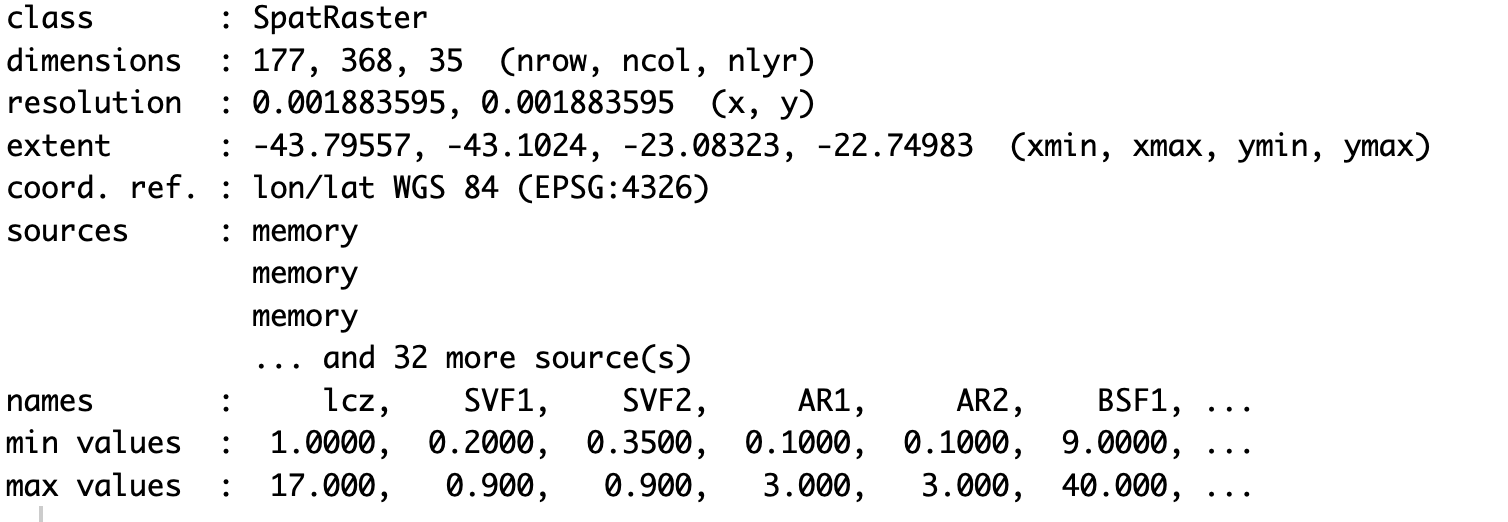
LCZ parameters raster stack for Rio de Janeiro
Maps
lcz_plot_parameters(LCZpar, iselect = "SVFmean")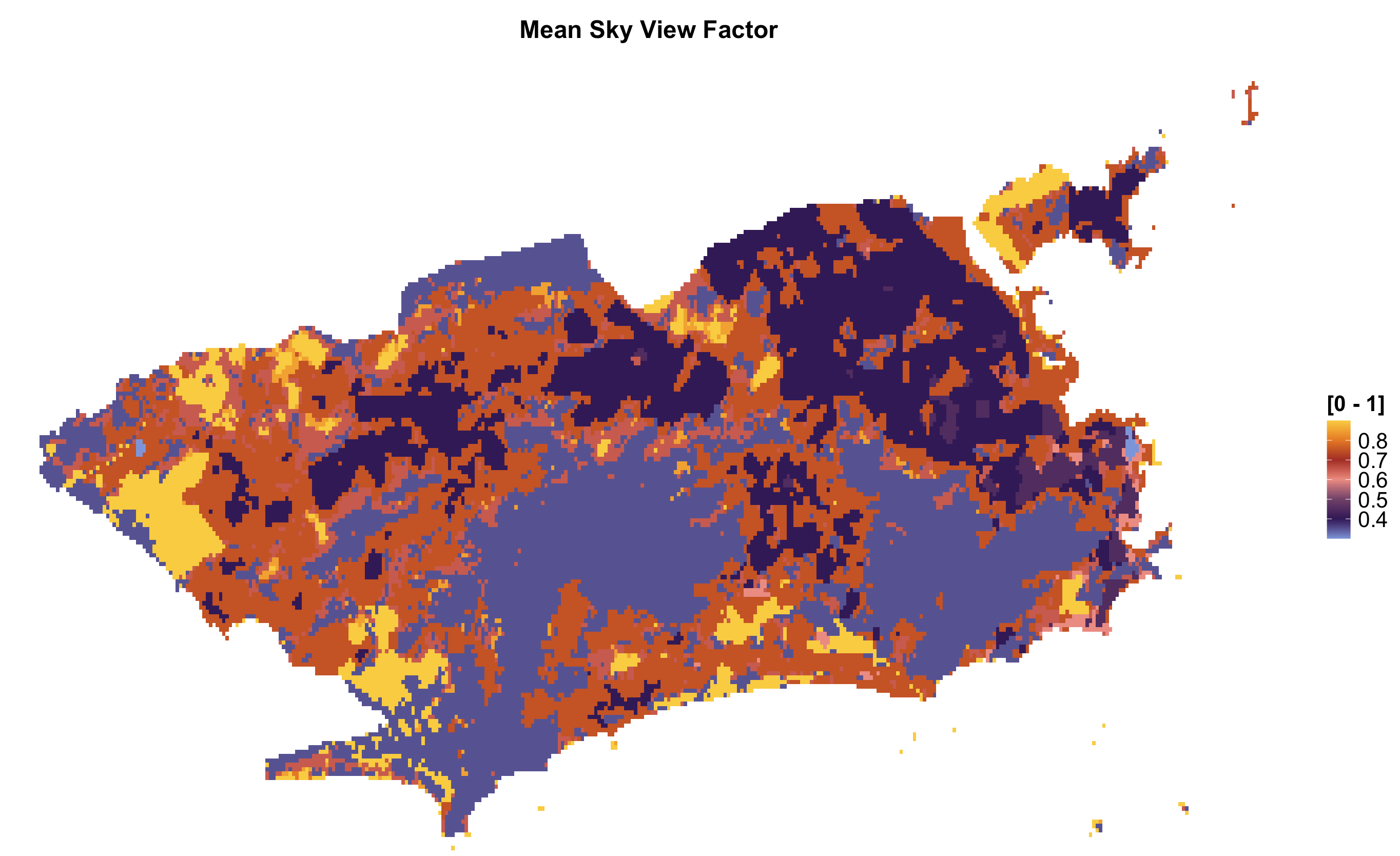
Sky View Factor map for Rio de Janeiro
lcz_plot_parameters(LCZpar, iselect = "BSFmax")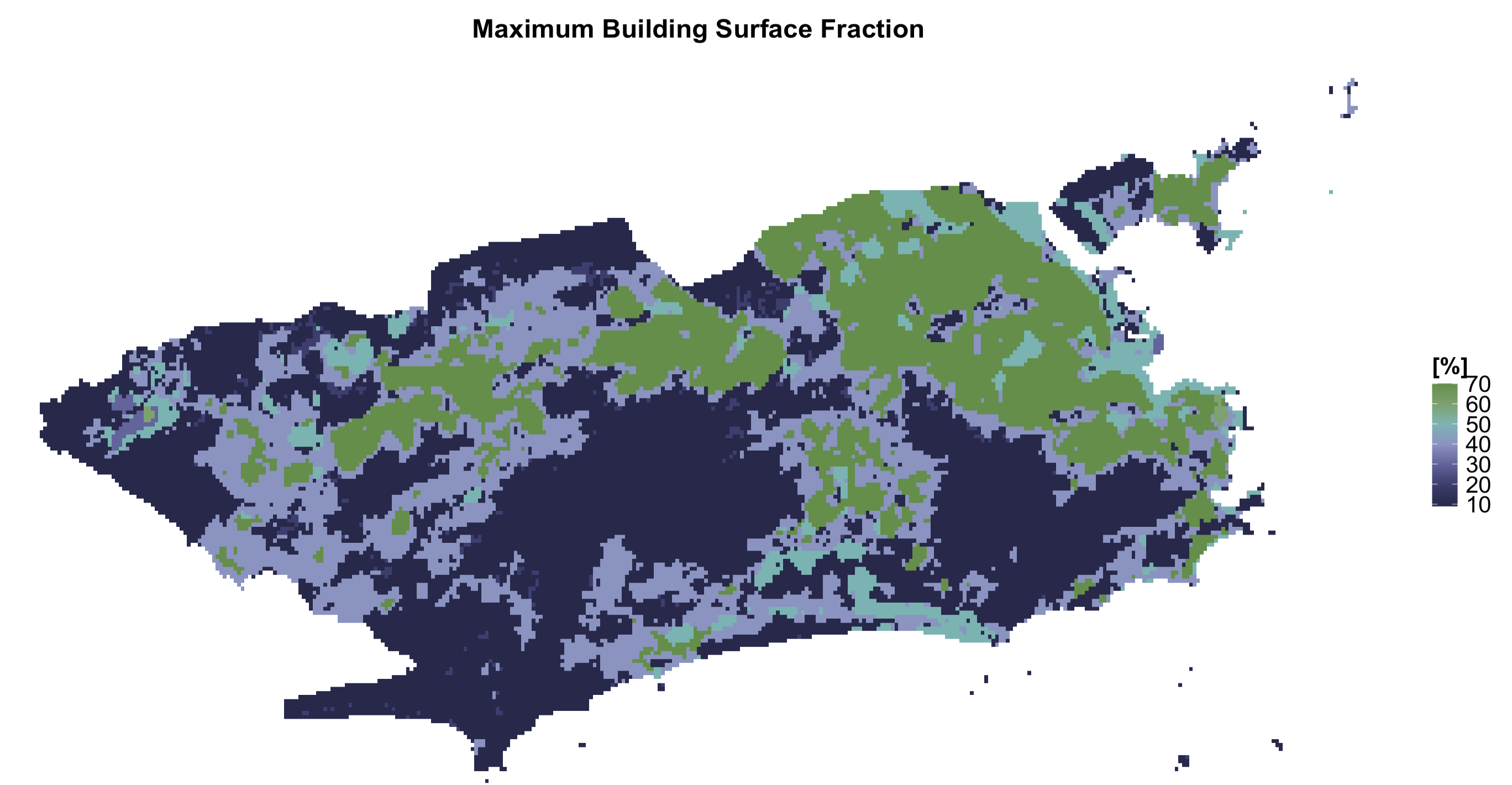
Building Surface Fraction map for Rio de Janeiro
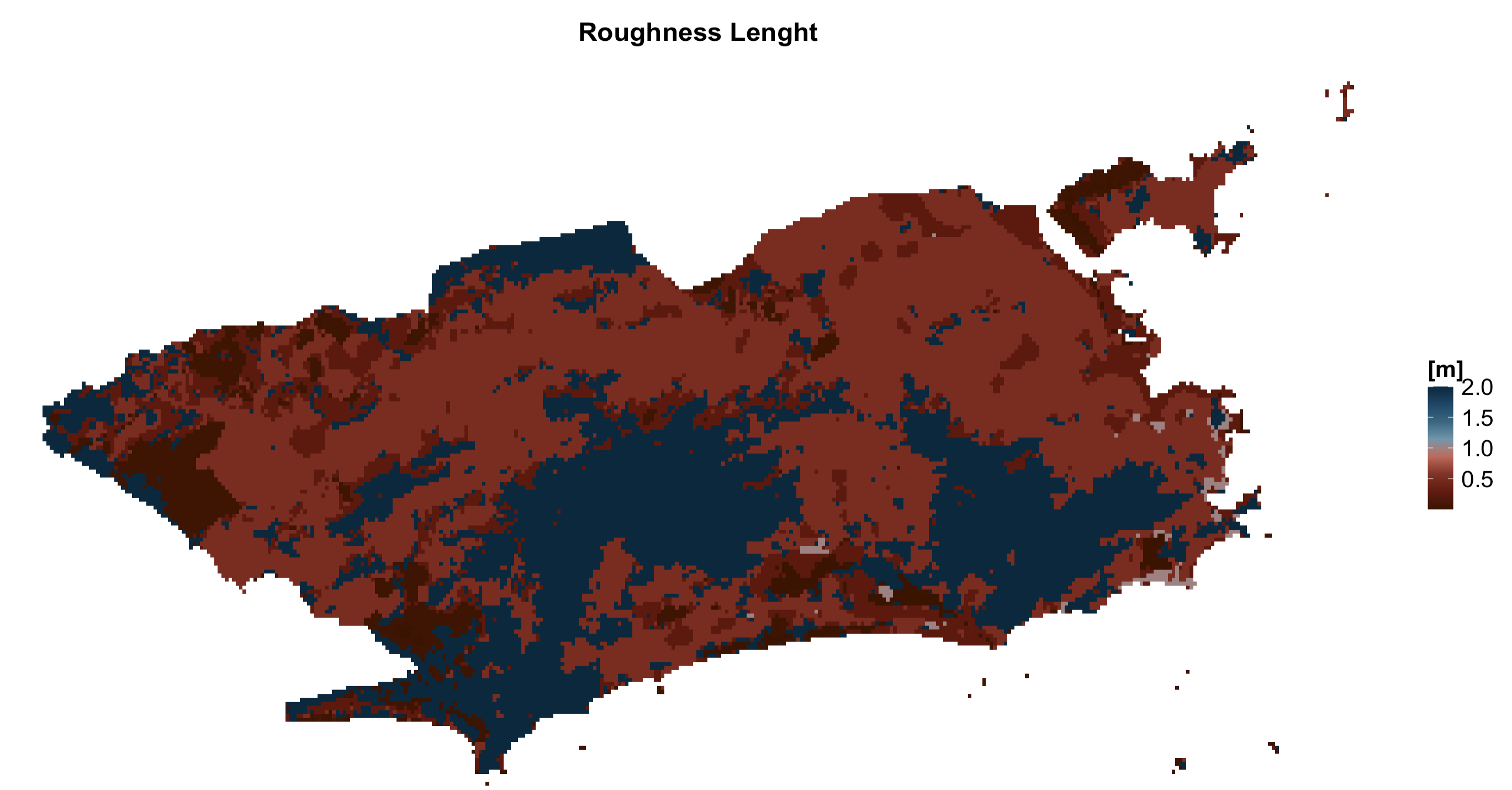
Have feedback or suggestions?
Do you have an idea for improvement or did you spot a mistake? We’d love to hear from you! Click the button below to create a new issue (GitHub) and share your feedback or suggestions directly with us.
Open GitHub issue```